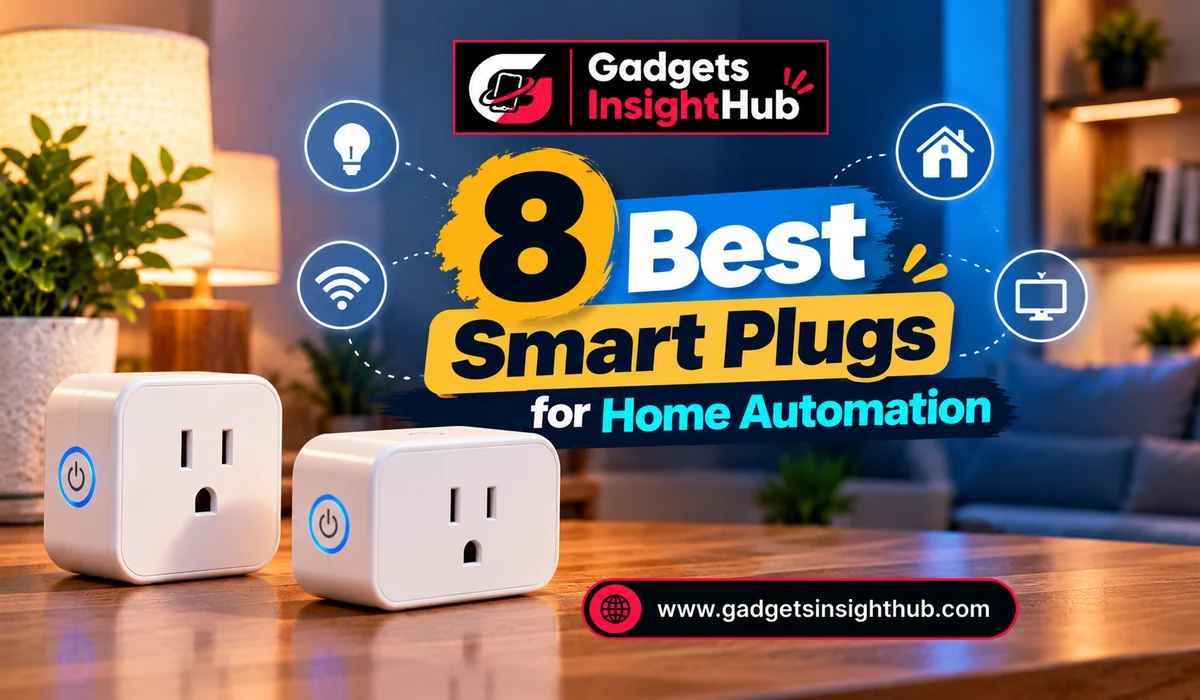
Smart plugs are one of the easiest ways to start building a connected home. They let you control compatible electrical appliances through a smartphone app, voice assistant, or automatic schedule without replacing the appliances themselves.
The 8 best smart plugs for home automation can help you manage lamps, fans, televisions, and other suitable devices more conveniently. Depending on the model, you may also get energy monitoring, automatic timers, remote access, and compatibility with smart home platforms.
For Indian homes, it is particularly important to check the socket type, voltage, current rating, and appliance power requirements before buying. A plug designed for a low-power lamp is not automatically suitable for a high-power appliance.
What to Look for in a Smart Plug
- Remote control: Switch compatible appliances on or off through an app.
- Scheduling: Set devices to operate at specific times.
- Voice control: Check support for Alexa, Google Home, or Apple Home.
- Energy monitoring: Track electricity consumption on models that support it.
- Smart home compatibility: Check whether the plug works with your existing devices.
- Electrical rating: Match the plug’s voltage, current, and load limits to the appliance.
- Connectivity: Check whether the plug uses Wi-Fi, Bluetooth for setup, or Matter-compatible technology.
1. TP-Link Tapo P110

Best for everyday automation and energy monitoring
The TP-Link Tapo P110 is a compact smart Wi-Fi plug designed to make ordinary appliances easier to control. It is suitable for users who want remote switching, scheduled operation, and electricity consumption information in one device.
Key Features
- Remote on/off control through the Tapo app.
- Energy monitoring and estimated electricity costs.
- Scheduling and countdown timers.
- Away Mode to switch connected devices on and off at different times.
- Voice control through compatible Alexa and Google Assistant setups.
- Compact design to help avoid blocking adjacent sockets.
- No separate hub required for basic operation.
Best for: Automating lamps, compatible fans, and other suitable appliances while tracking their energy consumption.
2. TP-Link Tapo P116M

Best for Matter-compatible smart homes
The TP-Link Tapo P116M is a smart plug designed for compatible connected homes. Its Matter support can simplify integration with supported smart home platforms, while its energy-monitoring features help users understand appliance consumption.
Key Features
- Matter compatibility for supported smart home ecosystems.
- Energy monitoring and electricity cost estimates.
- Remote control through the Tapo app.
- Scheduling, timers, and automatic switching.
- Away Mode for selected automation routines.
- Support for compatible voice control and smart home platforms.
- Compact plug design.
Best for: Users who want energy monitoring and flexibility when connecting smart home devices across supported platforms.
Check the exact regional version and electrical rating before purchasing. Smart plug models with similar names can have different specifications.
3. Wipro 16A Smart Plug
Best for compatible higher-current appliances
The Wipro 16A Smart Plug is designed for users who need a smart plug with a higher current rating than many basic low-current models. Depending on the exact version, it can provide app-based control and scheduling for compatible appliances.
Key Features
- App-based remote switching.
- Scheduled on/off operation.
- Voice control through supported integrations.
- Wi-Fi connectivity on compatible versions.
- Control of compatible appliances from a smartphone.
- 16A rating on the specified model.
Best for: Suitable appliances that require a compatible 16A smart plug, provided the appliance and electrical installation meet the product’s specifications.
A 16A rating alone does not guarantee that a plug is appropriate for every geyser, air conditioner, heater, or motor-driven appliance. Verify the manufacturer’s load limits and appliance compatibility before use.
4. Qubo Smart Plug
Best for a beginner-friendly connected home
The Qubo Smart Plug is an option for users who want to add app-based control to compatible appliances. It is designed for convenient everyday automation, allowing you to manage connected equipment without manually operating its power switch each time.
Key Features
- Smartphone-based appliance control.
- Scheduling and timer functions on supported versions.
- Voice control through compatible smart home integrations.
- Remote switching where supported.
- Suitable for simple home automation routines.
- Designed for use with compatible electrical outlets and appliances.
Best for: Beginners who want to automate lamps, compatible electronics, and other suitable household devices.
Before buying, check the exact Qubo model’s current rating, supported voice assistants, energy-monitoring capabilities, and app requirements.
5. Zebronics ZEB-SP110 Smart Wi-Fi Plug
Best for basic app and voice control
The Zebronics ZEB-SP110 is a Wi-Fi smart plug designed to bring connected control to compatible electrical devices. It is worth considering if you want a straightforward way to manage selected appliances from your phone.
Key Features
- Wi-Fi-based smart control.
- Remote switching through the supported application.
- Compatibility with supported voice assistants.
- Convenient control of compatible appliances.
- Suitable for scheduled home automation when supported by the software.
- Compact form for everyday home use.
Best for: Users who want basic smart plug functionality for suitable household electronics.
Confirm the exact model’s electrical rating and supported features before purchase, especially if you intend to use it with an appliance that draws substantial power.
6. Philips WiZ Smart Plug
Best for users already using WiZ smart lighting
The Philips WiZ Smart Plug is designed to add connected switching to compatible electrical devices. It can be useful if you already use WiZ bulbs and want to manage additional appliances through a familiar smart home setup.
Key Features
- App-based control through the supported WiZ system.
- Remote switching of compatible devices.
- Scheduling and timer functions, where supported.
- Integration with compatible voice assistants.
- Convenient control alongside supported WiZ lighting products.
- Connected home routines through supported features.
Best for: Households that already use WiZ smart lighting and want to extend app-based control to compatible appliances.
Check the exact plug’s regional version, socket type, voltage, current rating, and availability. Smart plugs sold in different markets may not have interchangeable electrical specifications.
7. Havells Crabtree 16A Wi-Fi Smart Plug
Best for compatible higher-current applications
The Havells Crabtree 16A Wi-Fi Smart Plug is an option for users who want connected control with a higher-rated plug configuration. Its intended use depends on the exact model and the electrical requirements of the connected appliance.
Key Features
- Wi-Fi-based smart plug functionality.
- App-based remote switching on supported configurations.
- Smart scheduling where available.
- 16A rating on the specified product.
- Designed for compatible electrical outlets and appliances.
- Connected control for supported home automation setups.
Best for: Users who need a compatible 16A smart plug from an established electrical products brand.
Always verify the manufacturer’s exact product specifications. For fixed or high-power equipment, use a qualified electrician when necessary and never exceed the rated current or power.
8. Portronics Splug 10
Best for everyday low-current automation
The Portronics Splug 10 is a smart plug designed for everyday connected control. It can be useful for automating compatible small appliances without making changes to the home’s electrical wiring.
Key Features
- Wi-Fi-based control.
- Smartphone app operation.
- Voice control through supported assistants.
- Scheduling and timer functionality where supported.
- Remote switching of compatible appliances.
- Designed for a 10A-rated configuration.
Best for: Suitable lamps, small electronics, and other appliances that remain within the plug’s electrical limits.
Check the supported app, connectivity requirements, and exact load rating before using it with an appliance.
Voice control can make home automation more convenient, so explore these 10 best smart speakers for home use to compare devices that help manage connected appliances, play music, and control smart home features.
Smart Plug Comparison Table
| Smart Plug | Main Strength | Best Use |
| TP-Link Tapo P110 | Energy monitoring | Everyday appliances |
| TP-Link Tapo P116M | Matter compatibility and energy monitoring | Compatible connected homes |
| Wipro 16A Smart Plug | Higher-current configuration | Compatible 16A appliances |
| Qubo Smart Plug | Everyday smart control | Beginner automation |
| Zebronics ZEB-SP110 | App and voice control | Basic home automation |
| Philips WiZ Smart Plug | WiZ ecosystem integration | Connected lighting setups |
| Havells Crabtree 16A Wi-Fi Smart Plug | Higher-current configuration | Compatible appliances |
| Portronics Splug 10 | Everyday remote control | Suitable low-current devices |
How to Use Smart Plugs for Home Automation
Smart plugs become more useful when you combine remote control with routines that match your daily schedule.
1. Automate Lamps and Decorative Lighting
Connect a compatible lamp to a smart plug and schedule it to switch on in the evening. You can also use a voice assistant to control the lamp without reaching for a wall switch.
Remember that a smart plug controls electrical power. It does not make a non-smart lamp dimmable or colour-changing.
2. Schedule Compatible Electronics
For suitable devices, you can create schedules that switch power on or off at specific times. This can be helpful for electronics that resume their intended operation when power returns.
Check how the appliance behaves after losing power. Some devices remain in standby, while others require you to press a physical button before they operate.
3. Monitor Energy Consumption
If the plug includes energy monitoring, you may be able to view power consumption and estimate electricity costs. These readings can help you identify appliances that consume more electricity than expected.
Energy-monitoring data is an estimate and should not replace a dedicated electrical measurement where greater accuracy is required.
4. Connect Plugs to a Smart Home Platform
Compatible plugs can work with voice assistants or smart home platforms. Depending on the model, you may be able to include them in routines that coordinate multiple devices.
For example, a compatible routine could switch off a lamp and another suitable device when you activate a bedtime scene.
5. Follow Electrical Safety Requirements
Smart plugs should be used only within their specified voltage, current, and power limits.
- Check the appliance’s rated power and starting current.
- Use the correct socket type and a properly grounded outlet when required.
- Do not connect one smart plug to another in a chain.
- Keep indoor smart plugs away from moisture unless they are specifically rated for the environment.
- Do not assume that a smart plug is suitable for geysers, heaters, air conditioners, or other high-power appliances simply because it supports scheduling.
- Avoid using a smart plug to switch off equipment that must remain powered for safe operation.
Frequently Asked Questions
1. What is the best smart plug for home automation?
The TP-Link Tapo P110 is a useful option if you want scheduling, remote control, and energy monitoring. The best choice depends on your electrical requirements and preferred smart home platform.
2. Can smart plugs reduce electricity consumption?
Smart plugs can help you manage usage by scheduling compatible appliances and switching them off when they are not needed. Actual savings depend on the appliance and your usage habits.
3. Do smart plugs need Wi-Fi?
Many smart plugs use Wi-Fi for app control and remote access. Some also support local control or Matter-based integrations, depending on the model and setup.
4. Can I use a smart plug with a geyser or air conditioner?
Only if the specific smart plug is explicitly suitable for that appliance’s voltage, current, power, and load characteristics. Check the manufacturer’s specifications and consult a qualified electrician if necessary.
5. What is the difference between a regular plug and a smart plug?
A regular plug provides a power connection, while a smart plug adds connected switching features such as remote control, schedules, timers, and, on selected models, energy monitoring.