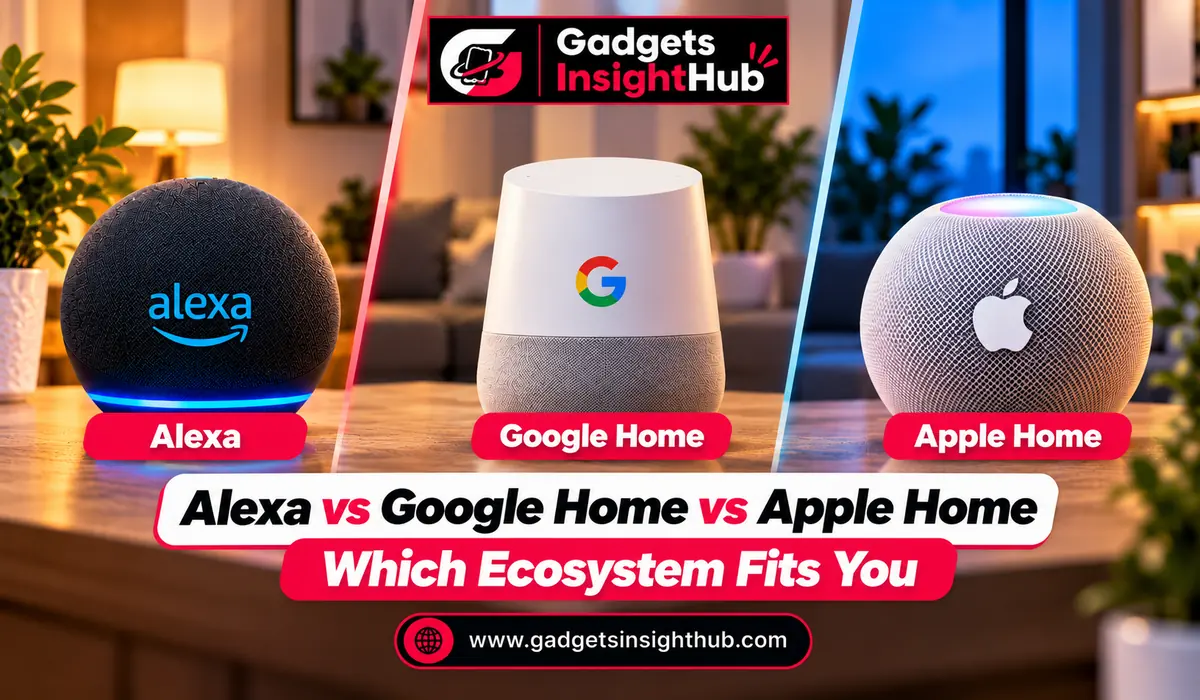
Choosing between Alexa vs Google Home vs Apple Home can shape how you control lighting, appliances, security cameras, and other connected devices. Each smart home ecosystem offers a different approach to voice control, automation, device compatibility, and privacy.
Amazon Alexa is known for its broad range of compatible devices and voice-controlled routines. Google Home focuses on Google services, voice assistance, and connected device management, while Apple Home offers tight integration with Apple devices and a strong emphasis on privacy.
Before choosing an ecosystem, consider which devices you already own, how you want to control your home, and whether you plan to buy smart products from different manufacturers. The right choice should make everyday tasks easier without adding unnecessary complexity.
1. What Is Amazon Alexa?
Amazon Alexa is a voice assistant that helps you control compatible smart home devices, play music, set reminders, check information, and create automated routines.
You can access Alexa through Amazon Echo speakers and displays, selected third-party products, and supported apps. Its extensive range of compatible accessories makes it a popular option for people building a smart home gradually.
Key Features of Alexa
- Voice control for compatible lights, plugs, locks, cameras, and appliances.
- Routines that combine several actions into one command.
- Integration with a wide selection of smart home products.
- Support for compatible Matter devices.
- Music playback, timers, alarms, reminders, and other everyday functions.
- Smart home controls through compatible Echo displays.
- Additional capabilities through supported Alexa skills and services.
Advantages of Alexa
Broad device selection: You can choose from many compatible products across different price ranges.
Convenient routines: One command can trigger multiple supported actions, such as turning off lights and switching off selected plugs.
Affordable entry options: Compatible Echo speakers and basic smart accessories provide a straightforward starting point.
Limitations to Consider
- Some features depend on the device, country, or subscription.
- Compatibility varies across third-party products.
- Certain advanced automations may require additional accessories or setup.
- Voice recognition and available services can differ by language and region.
Best for: Users who want flexible voice control, broad device compatibility, and custom routines.
2. What Is Google Home?
Google Home is Google’s smart home platform for organising compatible devices, managing automations, and controlling connected products through the Google Home app and supported voice assistants.
It works with compatible smart speakers, displays, lighting, plugs, cameras, and other devices. It is especially appealing if you already use Android phones or Google services.
Key Features of Google Home
- Centralised control of compatible smart home devices.
- Voice control through supported Google Assistant devices.
- Automations for lighting, plugs, and other connected products.
- Integration with compatible Matter devices.
- Support for selected cameras, doorbells, thermostats, and security products.
- Convenient management through the Google Home app.
- Integration with supported Google services and devices.
Advantages of Google Home
Google service integration: It fits naturally into households that already use Android, Google Calendar, and other Google services.
Useful device management: The app provides a central place to organise compatible products and rooms.
Flexible automations: Supported routines can combine actions across different device categories.
Matter support: Compatible Matter products can help you build a smart home without relying entirely on one manufacturer.
Limitations to Consider
- Features vary by device, country, and service.
- Some advanced automation options require compatible devices or controllers.
- Not every third-party device exposes all its features through Google Home.
- Voice assistant capabilities can differ by product and region.
Best for: Android users and households that rely on Google’s services and want centralised device management.
3. What Is Apple Home?
Apple Home is Apple’s smart home platform for managing compatible devices through the Home app and supported Apple devices.
You can use an iPhone, iPad, Apple Watch, or Siri-enabled device to control compatible lights, locks, sensors, cameras, and other products. A suitable Apple home hub enables important functions such as supported remote access and automations.
Key Features of Apple Home
- Device control through the Apple Home app.
- Siri voice commands on supported Apple devices.
- Automation based on time, sensor activity, and other supported triggers.
- Support for compatible Matter accessories.
- Integration with selected Apple devices and services.
- Remote access and certain automation features through a compatible home hub.
- Privacy-focused design and security features.
Advantages of Apple Home
Apple ecosystem integration: It works naturally with compatible iPhones, Apple Watches, and other Apple devices.
Convenient controls: You can manage supported accessories through the Home app or Siri.
Privacy focus: Apple places emphasis on privacy and secure handling of smart home information.
Matter compatibility: Supported Matter devices can expand your choice of accessories beyond products made specifically for Apple Home.
Limitations to Consider
- Some advanced functions require a compatible Apple home hub.
- The range of supported products and features may differ from competing ecosystems.
- Apple devices are generally more important to the experience than they are with some alternatives.
- Certain accessory features may still require the manufacturer’s own app.
Best for: Households that already use Apple devices and prioritise integrated controls and privacy.
Alexa vs Google Home vs Apple Home: Main Differences
| Feature | Amazon Alexa | Google Home | Apple Home |
| Main appeal | Broad device selection and routines | Google services and device management | Apple integration and privacy |
| Main control options | Voice, app, compatible displays | App and supported voice assistants | Home app, Siri, Apple devices |
| Smart home automation | Yes | Yes | Yes |
| Matter support | Compatible devices | Compatible devices | Compatible devices |
| Thread support | Depends on compatible hardware | Depends on compatible hardware | Depends on compatible home hubs and devices |
| Compatible products | Broad selection | Broad selection | Supported accessory ecosystem |
| Remote access | Depends on device and setup | Depends on device and setup | Supported setup generally requires a home hub |
| Best fit | Flexible, mixed-brand setups | Google-oriented households | Apple-oriented households |
Important: Matter and Thread support depends on the exact device and controller. Choosing an ecosystem does not automatically make every accessory or feature compatible.
4. Which Ecosystem Offers the Best Device Compatibility?
Device compatibility matters because you may want to combine smart bulbs, plugs, security cameras, locks, and appliances from different manufacturers.
Alexa and Google Home both support a broad range of smart home products. Apple Home supports compatible accessories, including Matter devices, but you should check product-specific requirements before buying.
What to Check Before Purchasing
- Whether the product explicitly supports your chosen ecosystem.
- Whether Matter is supported by the exact model.
- Whether a hub or Thread Border Router is required.
- Whether all essential features work in the platform’s app.
- Whether the product is available and supported in your country.
If you are building a multi-brand smart home, Matter compatibility can provide greater flexibility. However, it does not guarantee identical functionality across platforms.
5. Which Ecosystem Is Best for Voice Control?
Voice control is useful when your hands are occupied or you want to operate several devices at once.
Alexa
Alexa is a strong option for users who want to create custom routines and control a wide selection of compatible accessories. It also works with supported Echo speakers and displays.
Google Home
Google’s voice assistant is convenient for users who already rely on Google services. It can handle supported smart home commands alongside everyday information requests.
Apple Home
Siri offers convenient control through supported Apple devices. It is particularly appealing if you regularly use an iPhone, Apple Watch, or HomePod.
The best voice assistant depends on your language, preferred services, available hardware, and the commands you use most frequently.
6. Which Ecosystem Is Better for Privacy and Security?
All three ecosystems offer security features, but privacy depends on more than the platform alone. The individual devices, their manufacturers, and the way you configure your accounts also matter.
Apple Home
Apple places a strong emphasis on privacy and secure integration with its devices. Check the specific accessory’s privacy features and how it stores recordings or activity data.
Google Home
Google provides account security tools and privacy controls for supported services. Review the data collected by connected devices and the settings available in your account.
Amazon Alexa
Alexa offers privacy controls for voice interactions and compatible devices. Review recording settings, permissions, and any cloud-storage arrangements associated with your products.
Security Practices for Every Ecosystem
- Use strong, unique passwords.
- Enable two-factor authentication where available.
- Install firmware and app updates.
- Limit access to trusted household members.
- Review camera recording and microphone settings.
- Buy products from manufacturers that provide security updates.
7. Which Smart Home Ecosystem Is Best for Beginners?
If you are starting from scratch, choose an ecosystem based on the devices you already use and the products you intend to purchase.
- Choose Alexa if you want a flexible starting point with many compatible accessories and voice-controlled routines.
- Choose Google Home if you use Android and Google’s services and prefer centralised device management.
- Choose Apple Home if your household already uses Apple devices and you value integrated controls.
You can begin with one smart bulb, one smart plug, and a compatible speaker or controller. Once you understand the setup process, add sensors, cameras, or other devices as needed.
8. Can You Use Alexa, Google Home, and Apple Home Together?
Yes, some households use more than one ecosystem. For example, you might use Alexa for voice commands, Google Home to manage certain devices, and Apple Home for compatible accessories.
However, using multiple platforms can make setup and automation more complicated. Not every device supports every platform, and some functions may require separate apps or controllers.
Matter can simplify cross-platform integration for compatible products. Nevertheless, check whether the device supports multi-admin setup or the specific combination of platforms you want to use.
Alexa vs Google Home vs Apple Home: Final Comparison
| Your priority | Ecosystem to consider |
| Wide choice of compatible accessories | Amazon Alexa |
| Custom voice routines | Amazon Alexa |
| Android and Google services | Google Home |
| Centralised Google Home device management | Google Home |
| iPhone and Apple Watch integration | Apple Home |
| Privacy-focused Apple integration | Apple Home |
| Mixing supported products from multiple brands | Any of the three, with compatibility checks |
There is no single winner for every household. The best choice depends on your existing devices, preferred voice assistant, budget, and the types of automation you want.
Frequently Asked Questions
1. Is Alexa better than Google Home?
Alexa may suit users who prioritise a broad accessory selection and custom routines. Google Home may be more convenient for households that already use Android and Google’s services.
2. Is Apple Home compatible with Matter devices?
Yes, Apple Home supports compatible Matter devices. However, some functions require a compatible home hub, and individual product capabilities may vary.
3. Can Matter devices work with Alexa, Google Home, and Apple Home?
Many Matter-compatible devices can work with multiple supported ecosystems. However, the product must support the relevant device category, and each platform may require compatible controllers or additional setup.
4. Do I need a smart speaker to use a smart home ecosystem?
No. Many devices can be controlled through a smartphone app. However, a compatible smart speaker or hub can make voice control and certain automations more convenient.
5. Which smart home ecosystem should beginners choose?
Choose the platform that best matches your existing phone, services, and preferred devices. Start with a few compatible products and expand once you understand how the ecosystem works.