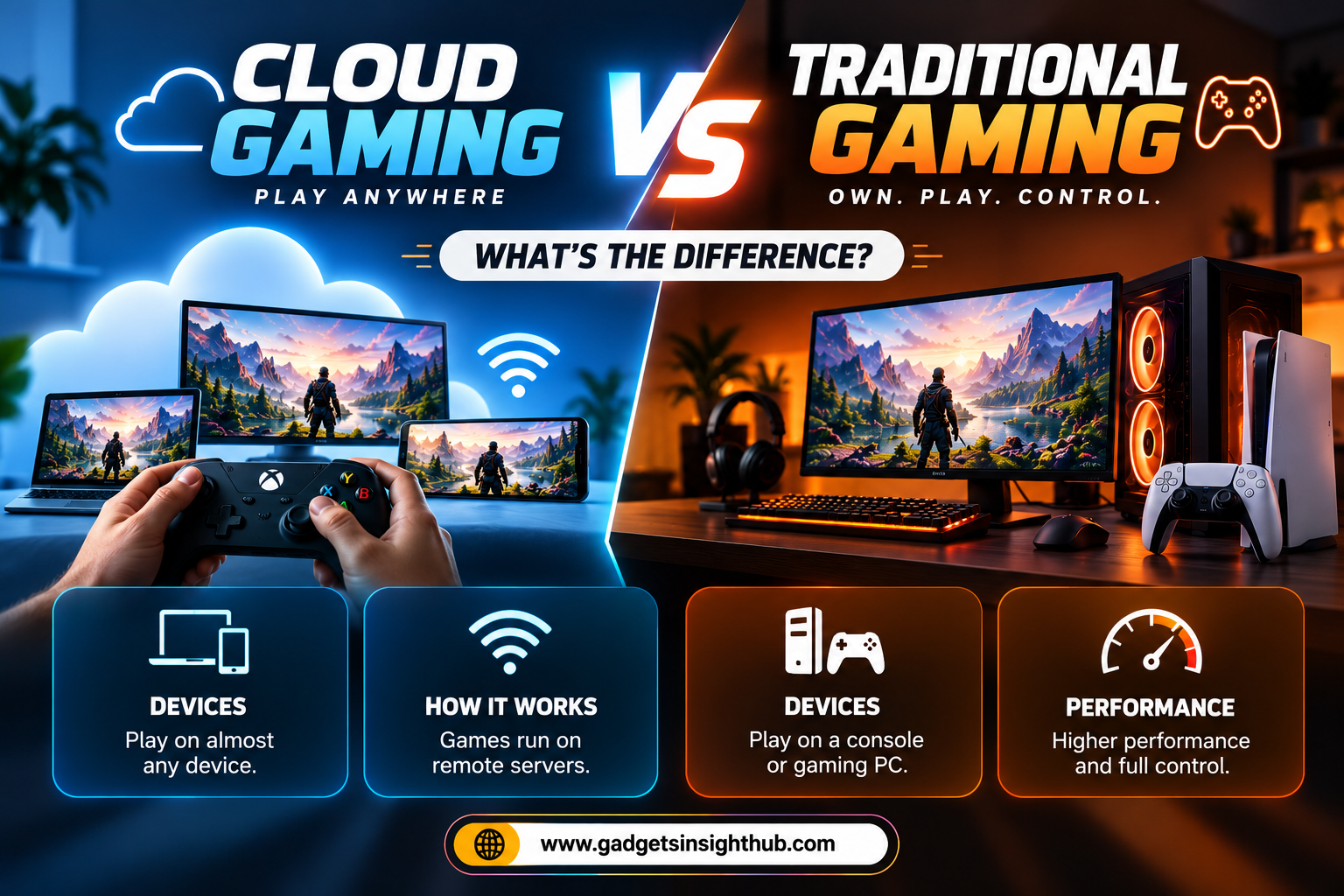
Gaming technology has changed significantly over the past decade, giving players more ways to enjoy their favorite titles. Traditional gaming has long been the standard, relying on consoles, gaming PCs, and locally installed games. Cloud gaming offers a different approach by allowing players to stream games over the internet without needing powerful hardware to run them directly.
Both methods provide access to exciting gaming experiences, but they differ in performance, cost, hardware requirements, internet dependency, and convenience. Understanding these differences can help players choose the option that best suits their preferences, budget, and gaming habits.
What Is Cloud Gaming?
Cloud gaming is a technology that allows players to run video games on remote servers instead of relying entirely on their own devices. The game runs on powerful computers in a data center, and the resulting video is streamed to the player’s screen. When players press buttons or move a controller, their commands travel through the internet to the server.
The server processes these actions and sends updated visuals back to the device. This process happens continuously, creating an interactive gaming experience similar to playing a game installed locally.
One of the biggest advantages of cloud gaming is that users do not necessarily need an expensive gaming PC or console. Depending on the service, they can play supported games on laptops, smartphones, tablets, smart TVs, or other compatible devices.
However, cloud gaming depends heavily on internet quality. Slow connections, unstable Wi-Fi, or distant servers can introduce delays, reduced image quality, and interruptions. Players may also need subscriptions or separate game purchases, depending on the platform.
What Is Traditional Gaming?
Traditional gaming involves running games directly on a local device, such as a gaming computer, PlayStation, Xbox, or Nintendo console. The device processes the game’s graphics, physics, sound, and other operations using its own hardware.
Players typically install games through digital downloads or use physical discs where supported. Once a game is installed, many titles can be played without a continuous internet connection, although online multiplayer, updates, and certain features require connectivity.
Traditional gaming gives players more direct control over performance. A powerful computer with a capable graphics card can deliver high resolutions, detailed textures, and high frame rates. Consoles also provide optimized gaming experiences designed around their specific hardware.
The main limitation is the initial investment. A high-performance gaming PC or console can cost considerably more than a basic laptop or smartphone. Games may also require substantial storage space, and hardware upgrades can become necessary as technology advances.
Key Differences Between Cloud Gaming and Traditional Gaming
1. Hardware Requirements
Hardware requirements are among the most noticeable differences between these gaming methods.
Cloud gaming reduces the need for powerful local components. Since remote servers perform most of the processing, players can often use ordinary devices to access demanding games. A compatible screen, controller, and reliable internet connection may be sufficient.
Traditional gaming requires hardware capable of running the chosen games. Modern PC titles may demand a powerful processor, dedicated graphics card, sufficient memory, and fast storage. Consoles provide a simpler alternative because their hardware is standardized, but players still need to purchase the system.
Cloud gaming is appealing to people who want access to demanding games without purchasing expensive equipment. Traditional gaming is better suited to players who prefer owning dedicated hardware and maximizing local performance.
2. Graphics and Visual Quality
Cloud gaming can deliver impressive graphics because games run on powerful remote computers. Players using modest devices may experience detailed environments, advanced lighting, and high-resolution visuals that their local hardware could not produce independently.
However, streamed visuals are compressed before reaching the player. This compression can reduce fine detail, particularly during fast movement or scenes containing many visual effects. Image quality can also change when internet conditions fluctuate.
Traditional gaming renders graphics directly on the player’s device. With suitable hardware, it can provide consistent image quality, high frame rates, and advanced graphical settings. Players can often adjust resolution, shadows, textures, and other options to balance visual quality with performance.
For gamers who prioritize maximum visual fidelity, traditional gaming generally offers greater control. Cloud gaming can still provide excellent visuals, but the final experience depends on the service, connection, and display.
3. Internet Connection and Latency
Internet connectivity is essential for cloud gaming. Every controller input must travel to a remote server, and the resulting image must return to the player’s device. This introduces latency, commonly called input lag.
A fast, stable connection with low latency helps create a responsive experience. However, even a high-speed connection may perform poorly if the server is far away or the network experiences congestion.
Traditional gaming does not always require internet access. Single-player games installed locally can often run offline, making them suitable for travel or locations with limited connectivity. Online multiplayer still depends on network quality, but local game processing removes the additional delay associated with cloud streaming.
For competitive games that require precise timing, such as fighting games and fast-paced shooters, traditional gaming can offer a more predictable response. Cloud gaming may work well for casual and many single-player experiences, provided the connection is reliable.
4. Cost and Subscription Models
Cloud gaming can reduce upfront spending because players may not need to purchase an expensive gaming system. Some services provide access through monthly subscriptions, while others require users to buy games separately.
The total cost depends on subscription fees, game purchases, internet expenses, and the duration of use. Over several years, recurring payments can add up. Subscription libraries may also change, meaning a game available today might not remain included indefinitely.
Traditional gaming usually involves a larger initial investment in a console or PC. Players may then purchase games individually, subscribe to online services, or upgrade components when needed.
A console can provide relatively predictable costs, while a gaming PC offers more flexibility but may require additional spending on upgrades and accessories.
Cloud gaming can be economical for players who already own a compatible device and want to avoid buying dedicated hardware. Traditional gaming may offer better long-term value for people who play frequently and prefer permanent access to locally purchased games, subject to each game’s licensing terms.
5. Game Ownership and Availability
Traditional gaming often gives players greater control over their installed games. Purchased titles can usually be downloaded and played locally, although digital purchases remain subject to platform licensing, account access, and compatibility restrictions.
Physical games can offer additional flexibility on supported consoles, including resale or lending where permitted. However, some physical releases still require downloads or internet activation.
Cloud gaming availability depends on the service’s supported catalog. Not every game is available, and access can vary by region, subscription tier, and publisher agreements. Some services let players stream games they already own, while others offer games through a subscription library.
Players should check whether their preferred titles are supported before choosing a cloud gaming service. Those who want broad compatibility, offline access, or physical game collections may prefer traditional gaming.
6. Installation and Updates
Cloud gaming removes much of the installation process from the player’s device. Since games run remotely, users can often begin playing shortly after selecting a title. Large downloads and local storage requirements become less important.
This convenience is particularly useful for people with limited device storage or those who do not want to manage lengthy installations. Nevertheless, cloud platforms may still require account setup, application updates, and service maintenance.
Traditional gaming requires games to be installed or downloaded before play. Large modern titles can occupy substantial storage space, and updates may take time depending on connection speed. Once installed and updated, however, players can often launch games without waiting for remote streaming servers.
Cloud gaming is generally more convenient for quick access, while traditional gaming provides greater independence after installation.
Performance in Different Gaming Genres
The best option can vary depending on the type of game.
Competitive shooters, fighting games, and rhythm games benefit from highly responsive controls. Traditional gaming generally has an advantage because local processing avoids cloud-streaming latency. A strong cloud connection can still provide a playable experience, but small delays may matter to experienced competitors.
Story-driven adventures, role-playing games, and casual titles are often well suited to cloud gaming. These games may place less emphasis on split-second reactions, making the convenience of streaming more valuable.
Racing games can work with either method. Traditional hardware offers consistent response, while cloud gaming provides convenient access when network conditions are excellent.
Massively multiplayer online games also work with both approaches. Their performance depends on several factors, including the game server, local hardware, and internet connection. Cloud gaming adds another stage of communication that can affect responsiveness.
Portability and Convenience
Cloud gaming makes it possible to access supported titles across multiple devices. Players may start a game on a laptop and continue on a compatible smartphone or television, depending on the service and account features.
This flexibility is attractive to people who travel frequently or prefer not to carry a dedicated gaming system. However, portable cloud gaming still requires a suitable connection, and mobile data usage can be substantial.
Traditional gaming also supports portable play through handheld consoles and gaming laptops. These devices can run games locally, allowing offline play where supported. Gaming laptops may be heavier and more expensive, while handheld systems have battery-life and performance limitations.
Cloud gaming offers broad device flexibility, whereas traditional portable gaming provides more independence from internet access.
Storage and Device Compatibility
Cloud gaming reduces local storage requirements because the game files remain on remote infrastructure. This can benefit users with small solid-state drives, entry-level laptops, or mobile devices with limited space.
Traditional gaming requires enough storage for installations, updates, saved files, and additional downloadable content. Players may need to remove older games or purchase extra storage as their collections grow.
Compatibility is another consideration. Cloud gaming requires a supported device, operating system, application, browser, and controller configuration. Traditional gaming depends on the platform’s hardware specifications and game requirements.
Before choosing either approach, players should confirm that their devices support the games and features they want to use.
Security, Privacy, and Reliability
Cloud gaming relies on online accounts and remote services. Users should protect their accounts with strong passwords and available security features. Service outages, account restrictions, or changes in platform availability can temporarily prevent access.
Traditional gaming also involves account security, particularly for digital libraries and online multiplayer. However, locally installed games can provide more independence when online services are unavailable, depending on the title’s requirements.
Neither approach is completely free from technical problems. Cloud gaming can be affected by server interruptions and network instability, while traditional gaming can experience hardware failures, software bugs, overheating, and storage problems.
Which Gaming Method Should You Choose?
The right choice depends on your priorities.
Choose cloud gaming if you want to play demanding games without purchasing an expensive gaming PC or console, prefer quick access without large downloads, and have a reliable internet connection. It is especially attractive for casual gaming and users who switch between compatible devices.
Choose traditional gaming if you prioritize responsive controls, consistent local performance, offline play, adjustable graphics, or a personal collection of installed games. It is also a strong option for competitive players and enthusiasts who want greater control over hardware and settings.
Some players may benefit from using both approaches. A gaming PC or console can handle demanding competitive sessions, while cloud gaming provides convenient access on another device. This combination offers flexibility without requiring every gaming session to follow the same setup.
The Future of Cloud and Traditional Gaming
Cloud gaming technology continues to develop alongside improvements in internet infrastructure, server performance, and video compression. Faster networks and more efficient streaming systems may help reduce latency and improve image quality for more players.
Traditional gaming will also continue to evolve. New processors, graphics technologies, storage systems, and display features are improving the performance of local gaming devices.
Rather than completely replacing one another, these approaches may increasingly complement each other. Cloud gaming emphasizes accessibility and convenience, while traditional gaming focuses on local performance, control, and independence.
Conclusion
Cloud gaming and traditional gaming provide different ways to enjoy modern video games. Cloud gaming reduces hardware requirements, simplifies installation, and supports flexible access across compatible devices. Its main challenges are internet dependency, streaming latency, service availability, and potential recurring costs.
Traditional gaming requires more investment in local hardware and storage, but it generally offers greater control over graphics, reliable offline access for supported titles, and responsive performance.
Ultimately, the best choice depends on your budget, connection quality, favorite genres, and expectations. Understanding these differences makes it easier to select a gaming setup that delivers the right balance of performance, convenience, and value.