
Artificial intelligence is becoming a regular part of how you use your smartphone, laptop, and other connected devices. You can use AI to recognize text in photos, summarize documents, improve accessibility, automate tasks, and find information faster. However, not every AI feature works in the same way. Some tools process information directly on your device, while others send requests to powerful remote servers.
Understanding On-Device AI vs Cloud AI helps you choose the right tools for your daily needs. On-device AI can offer faster responses and better control over local data, while cloud AI can handle demanding tasks that require greater computing resources. Both approaches have advantages, and many modern applications combine them.
From managing your clipboard to sharing files wirelessly, knowing how these technologies work can help you make better decisions about performance, privacy, battery life, and device compatibility.
What Is On-Device AI?
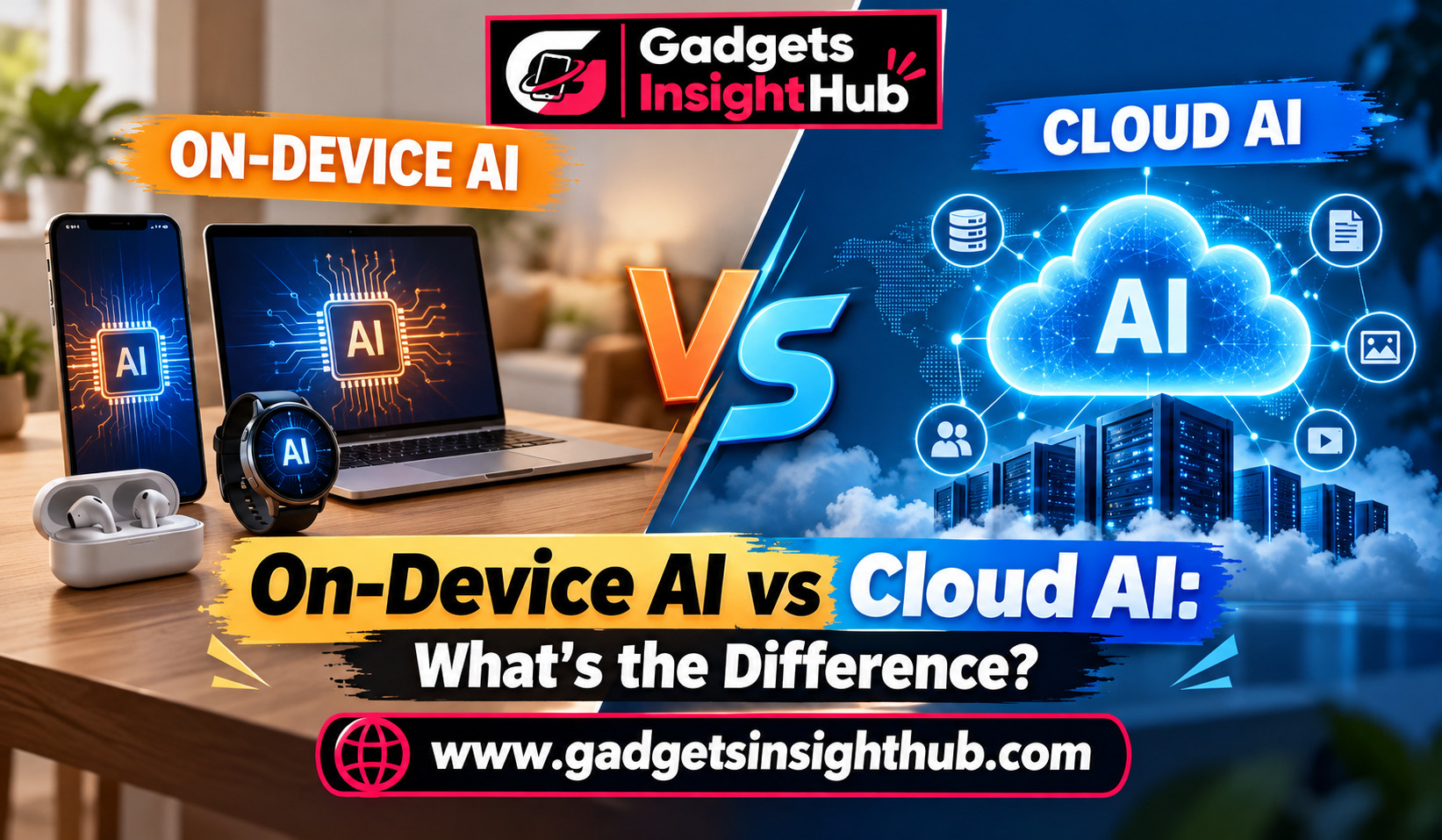
On-device AI processes data directly on your smartphone, tablet, computer, or another supported device. It uses local computing hardware, such as the CPU, GPU, or a dedicated neural processing unit (NPU), to run an AI model.
For example, your phone might recognize text in a photograph without sending the image to an external server. Similarly, a supported laptop may use local AI processing to apply certain camera effects during a video call.
However, not every feature on a device uses AI. Clipboard history, focus modes, screen recording, and wireless file sharing are usually operating system features. AI can improve some of these tools, but the basic functions often work without it.
What Is Cloud AI?
Cloud AI processes data on remote servers operated by a service provider. Your device sends a request over the internet, the server performs the required computation, and the result returns to your screen.
For instance, you might upload a long document to an AI assistant and ask it to summarize the main points. The service may process the document on remote infrastructure rather than entirely on your computer.
Cloud AI can provide access to large models and substantial computing resources. However, it generally depends on a working internet connection, and the service’s privacy policies determine how submitted information is handled.
On-Device AI vs Cloud AI: 12 Features You Should Understand
1. Processing Speed and Response Time
On-device AI can respond quickly because it does not need to send every request to a remote server. This can be useful when you want to identify objects in a photograph, use voice commands, or apply supported AI effects.
Cloud AI introduces network communication into the process. Your response time can depend on your internet connection, server load, and the complexity of the request.
Nevertheless, cloud processing can sometimes be faster for demanding tasks because remote servers may have more powerful hardware than your device.
Practical example: If your laptop supports local transcription, it may convert speech into text without a network round trip. A cloud transcription service may be more suitable for processing lengthy recordings when local resources are limited.
2. Privacy and Data Protection
Privacy is one of the main considerations when comparing on-device AI and cloud AI.
With on-device processing, information can remain on your device, reducing the need to transmit sensitive content. This can be useful when working with personal notes, private photographs, or confidential documents.
Cloud AI requires you to consider what information leaves your device, how the provider stores it, and whether it uses submitted content for service improvement or other purposes.
However, local processing does not automatically make a device completely secure. Malware, unauthorized access, and insecure applications can still expose information.
Practical example: If you want to extract text from an identity document, prefer a trusted local OCR tool when it meets your needs. If you use an online service, review its privacy and data-retention policies before uploading the document.
3. Internet Connectivity and Offline Access
On-device AI can work without an internet connection if the required model, application, and supporting resources are already installed. This makes it useful during travel, in areas with weak connectivity, or when you want to work offline.
Cloud AI generally needs an internet connection to send requests and receive results. Some services offer limited offline capabilities, but these depend on the application.
It is also important to distinguish AI processing from ordinary device functions. You can often record your screen, review clipboard history, or activate a focus mode without internet access, even when those functions do not use AI.
Practical example: Before travelling, download any supported offline language or voice resources you expect to need. Test them in airplane mode to confirm that they work as expected.
4. Computing Power and Complex Tasks
Your device has limited processing power, memory, and storage. These limits affect the size of AI models it can run and the complexity of tasks it can handle efficiently.
Cloud AI can access larger models and additional computing resources. This can make it suitable for complex reasoning, large-document analysis, advanced image generation, and other resource-intensive workloads.
However, cloud services also have limitations. They may impose usage limits, require subscriptions, or restrict access to particular models.
Practical example: Use a local AI writing assistant for basic text suggestions when your computer supports it. For analyzing several long reports together, a capable cloud service may offer a more practical solution.
5. Clipboard History and Smart Text Handling
Clipboard history allows you to revisit text, links, and other items you copied earlier. Availability and storage limits depend on your operating system and application.
On Windows, clipboard history can be opened with the Windows key + V after the feature is enabled. Some Android devices also provide clipboard managers through their keyboards.
AI can extend these capabilities by helping you rewrite copied text, summarize passages, or organize information. Such enhancements may run locally or use cloud services, depending on the application.
Practical example: You copy research notes from several websites and use clipboard history to retrieve them later. A local writing tool can help organize those notes, while a cloud assistant may be more useful for producing a detailed summary.
Remember that clipboard history can contain passwords, private messages, and other sensitive information. Avoid storing confidential data unnecessarily.
6. Screen Recording and Content Analysis
Screen recording captures activity on your display. You can use it to create tutorials, demonstrate software problems, or save a presentation for later reference.
The recording function itself usually does not require AI. However, AI tools can analyze supported recordings, generate transcripts, summarize meetings, or identify important moments.
On-device processing can keep recordings local when a compatible application supports it. Cloud-based analysis may offer more advanced processing but can require uploading the recording.
Practical example: If you create software tutorials, record your screen using your operating system’s built-in tool. You can then use a compatible local transcription application or a cloud service to generate captions.
Before recording, check application permissions and avoid capturing confidential information.
7. Focus Modes and Intelligent Notifications
Focus modes help you reduce interruptions by limiting notifications, calls, or application access according to your settings. Android and iOS provide different focus and notification-management options, while Windows offers notification controls and Do Not Disturb settings.
These features generally work through operating system rules rather than AI. However, AI can improve notification management by identifying patterns, prioritizing messages, or helping you organize your schedule where supported.
On-device processing may allow certain personalization features to work locally. Cloud-based assistants can provide broader scheduling or information services when connected.
Practical example: Set a focus mode to silence social media notifications while you study. If your device supports intelligent notification summaries, review whether those summaries are generated locally or processed through a connected service.
8. Text Recognition and Optical Character Recognition
Optical character recognition (OCR) converts text in images or scanned documents into editable, searchable text. It is useful for digitizing printed notes, extracting details from receipts, and searching documents.
Some smartphone cameras, photo applications, and scanning tools perform text recognition locally. Others rely on cloud processing or offer both options.
Local OCR can be convenient for simple documents and offline work. Cloud services may provide stronger results for difficult layouts, handwriting, or large batches of documents, depending on the product.
Practical example: Take a photograph of a printed timetable and use your phone’s supported text-selection feature to copy the relevant details. If the text is difficult to recognize, try a specialized OCR application.
Always verify important information such as dates, addresses, and financial figures because OCR can make mistakes.
9. Emergency Information and Device Tracking
Emergency information and device tracking are important safety and recovery features, but neither automatically requires AI.
Supported smartphones allow you to configure emergency contacts or medical information. Depending on the device and region, emergency features may also support emergency calling, location sharing, or other safety functions.
Device-tracking services can help you locate a lost phone, lock it, or erase its data. These services often rely on account access, location settings, network connectivity, or participating nearby devices.
AI may assist with unusual-activity detection or contextual alerts in some products, but availability varies.
Practical example: Add emergency contacts to your phone and learn how to access its emergency information from the lock screen. Enable the official device-finding service and test the available recovery options before you lose your device.
Do not assume every tracking function works offline or that a lost device can always be located.
10. Battery Optimization and Power Efficiency
On-device AI uses local hardware, which means its power consumption depends on the model, workload, device design, and processing hardware. Small models running on efficient NPUs may perform certain tasks with less power than more general-purpose processing.
However, local AI is not always more energy-efficient than cloud AI. A demanding local model can consume significant battery power, while cloud processing adds energy costs associated with wireless communication and remote computing.
Battery optimization features such as background activity limits, adaptive power management, and battery-saver modes are usually separate from AI.
Practical example: If your phone becomes warm while running an AI application, check its battery usage and reduce unnecessary background activity. Compare local and cloud options for your specific task rather than assuming one always saves power.
11. Accessibility Tools, Private DNS, and Wireless File Sharing
Accessibility tools help you interact with devices more easily. These include screen readers, magnification, live captions, voice control, and text-to-speech. Some tools use local processing, while others require online services or downloaded language resources.
Private DNS is different. On supported operating systems, it helps protect DNS queries using encrypted DNS transport, commonly DNS-over-TLS on Android. It does not encrypt all internet traffic or guarantee complete anonymity.
Wireless file-sharing tools also operate independently of AI. Features such as AirDrop, Quick Share, and nearby sharing options let compatible devices transfer files through supported wireless technologies. Their availability depends on the operating system, hardware, and configuration.
Practical example: If you use live captions, check whether your device supports offline captions in your preferred language. Enable Private DNS through a trusted provider if appropriate, and use a supported wireless-sharing feature to transfer large files without attaching them to an email.
12. Gestures, Automation, and Device Compatibility
Gestures let you control a device through actions such as swiping, tapping, or moving your fingers in supported ways. Automation tools let you trigger actions based on schedules, device states, or other conditions.
Most gestures and basic automation rules do not require AI. AI can add more flexible voice commands, natural-language task creation, or context-aware suggestions when supported by an application.
Compatibility is particularly important because AI features are not available on every phone or computer. Requirements may include a newer processor, sufficient RAM, a recent operating system, supported languages, specific application versions, or a compatible account.
For example, some AI features on newer computers require an NPU or other supported hardware, while cloud-based AI may work on a wider range of devices through a browser.
Practical example: You can create a phone automation that activates a focus mode at a particular time. If your device supports AI-powered voice commands, you may also be able to request a more complex action using natural language.
Before buying a device for AI, check the manufacturer’s requirements for the exact features you plan to use.
On-Device AI vs Cloud AI: Which Should You Choose?
The best option depends on what you want to accomplish.
Choose on-device AI when you value offline access, local data processing, quick responses, and reduced dependence on external services. It can be a good fit for supported text recognition, voice features, image processing, and routine personal tasks.
Choose cloud AI when you need access to larger models, complex analysis, or capabilities that your device cannot run effectively. It can also be useful when you want to process large documents or work across multiple devices.
A hybrid approach often provides the most flexibility. Your device can handle simple or sensitive operations locally, while a cloud service takes care of demanding tasks when needed.
Before choosing a tool, consider its privacy policy, compatibility, cost, performance, and offline capabilities. Test the actual features you intend to use instead of relying only on the product’s AI label.
Conclusion
On-Device AI vs Cloud AI is not simply a choice between privacy and performance. Each approach offers different benefits, and the right option depends on your device, task, connectivity, and security requirements.
On-device AI can support fast, local processing, while cloud AI can provide greater computing resources for demanding work. Meanwhile, useful features such as clipboard history, screen recording, focus modes, emergency information, Private DNS, gestures, and wireless file sharing may work independently of AI.
For everyday use, consider a combination of local and cloud tools. Check compatibility, understand where your data is processed, and choose the approach that fits your needs.
Frequently Asked Questions
1. Is on-device AI better than cloud AI?
On-device AI is often preferable for offline access and local processing, while cloud AI can be better for demanding tasks that require larger models or more computing resources.
2. Does on-device AI work without the internet?
Yes, on-device AI can work offline when the application, model, and required resources are installed and the feature does not depend on an online service.
3. Is cloud AI safe for personal information?
Cloud AI can be safe when the provider uses appropriate security and privacy protections, but you should review its data-handling policies before submitting sensitive information.
4. Can you use on-device AI and cloud AI on the same device?
Yes, many devices and applications combine local processing with cloud services, choosing an approach according to the task, available resources, and feature settings.