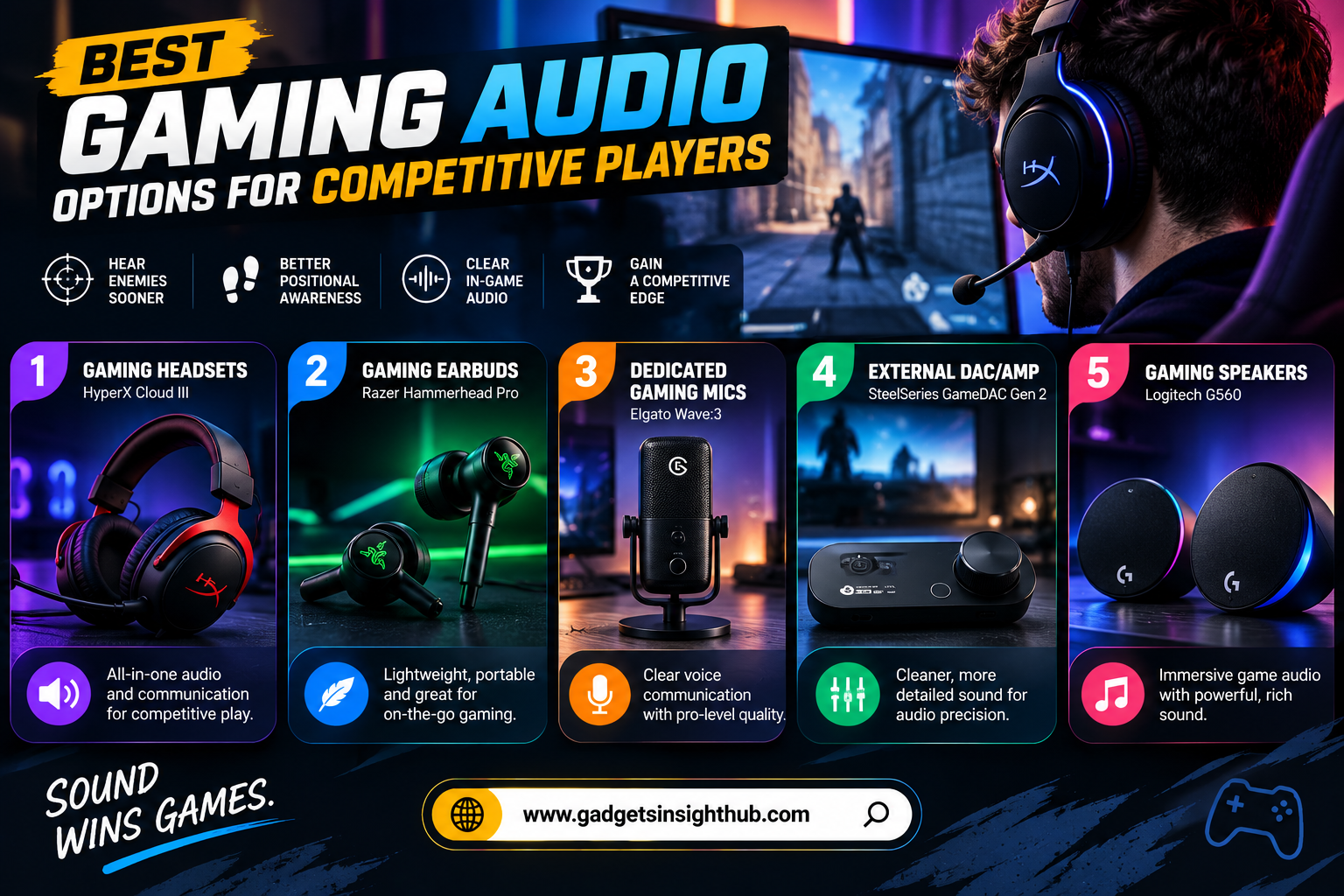
Sound plays an important role in competitive gaming. While graphics and reaction speed often receive the most attention, high-quality audio can help players identify enemy movements, recognize environmental cues, communicate with teammates, and respond to changing situations. Choosing the right gaming audio equipment can improve awareness and make gameplay more consistent.
Competitive players can choose from gaming headsets, studio headphones, external microphones, wireless audio systems, and dedicated sound solutions. Each option offers different advantages depending on the game, budget, comfort requirements, and personal preferences. Understanding these differences makes it easier to build an audio setup that supports focused and effective gameplay.
Why Gaming Audio Matters in Competitive Play
Competitive games frequently provide audio information that cannot be seen immediately on the screen. Footsteps, reload sounds, approaching vehicles, ability effects, and distant gunfire can reveal what is happening nearby.
In tactical shooters, hearing movement through walls or around corners can help players anticipate an opponent’s position. Multiplayer battle arenas use sound effects to communicate ability activations and important events. Racing games rely on engine sounds, tire noise, and environmental feedback to help players understand vehicle behavior.
Clear audio can also reduce distractions. When individual sounds are easy to distinguish, players may find it easier to concentrate on important events rather than struggle with excessive bass or unclear dialogue.
However, expensive equipment does not automatically create better competitive performance. Game audio design, sound settings, listening habits, and player experience remain important. The best setup is one that reproduces useful details clearly and comfortably.
1. Gaming Headsets for an All-in-One Solution
Gaming headsets are among the most practical audio options for competitive players. They combine headphones and a microphone in one device, making communication and listening convenient.
A good headset should provide clear directional cues, balanced sound, comfortable ear cushions, and a microphone that captures speech accurately. Closed-back designs can help reduce outside noise, which is useful when playing in busy environments.
Headsets are particularly suitable for team-based games where communication is essential. Players can speak with teammates without purchasing a separate microphone or arranging additional equipment.
When choosing a headset, consider weight, clamping pressure, ear-cup size, cable quality, and microphone placement. Comfort becomes especially important during long tournaments or practice sessions.
Some gaming headsets emphasize powerful bass and dramatic sound effects. While this can make entertainment enjoyable, excessive bass may mask quieter details. Competitive players should look for a sound profile that keeps footsteps, voices, and other important cues distinct.
2. Studio Headphones for Detailed Sound
Studio headphones are designed primarily for accurate audio reproduction. Unlike some gaming headsets, they often avoid heavily enhanced bass or artificial sound effects.
This balanced presentation can help competitive players distinguish different sounds without unnecessary emphasis. Models with a wide soundstage may also make it easier to perceive differences between nearby and distant audio sources, although results depend on the headphones and the game itself.
Studio headphones generally do not include built-in microphones. Players who choose this route may need a separate USB microphone, an audio interface, or a compatible microphone attachment.
Open-back studio headphones allow air and sound to pass through the ear cups. They can provide a spacious listening experience, but they leak sound and allow outside noise to enter. Closed-back headphones provide more isolation and are often better for shared rooms or noisy surroundings.
Studio headphones are worth considering for players who prioritize sound clarity and are comfortable assembling a separate microphone setup.
3. Wired Audio for Consistent Performance
Wired headphones and headsets remain popular among competitive gamers because they offer straightforward connectivity and do not require battery charging.
A direct wired connection can provide very low audio latency, although the exact result depends on the device and connection method. Players also avoid wireless interference and battery-related interruptions.
Wired equipment is available across a wide range of prices. Basic models can provide reliable audio, while premium options may offer better comfort, construction, and sound quality.
The main disadvantages are cable management and restricted movement. Cables can become tangled, pull against a desk, or interfere with certain playing positions. A detachable cable or a well-positioned cable holder can make the setup easier to manage.
For players who value simplicity, consistent operation, and long practice sessions, wired audio remains a dependable choice.
4. Wireless Gaming Headsets for Freedom of Movement
Wireless gaming headsets eliminate the need for a cable connecting the headset to the computer or console. This allows players to move more freely and creates a cleaner desk setup.
Modern wireless models can deliver excellent audio quality and low latency, particularly when they use dedicated USB transmitters designed for gaming. Bluetooth can be convenient for everyday listening, but its latency and microphone behavior may be less suitable for competitive play, depending on the device.
Battery life is an important consideration. Players should check the manufacturer’s stated battery performance, charging time, and whether the headset supports use while charging.
Wireless reliability also depends on interference, distance, and compatibility. A dedicated wireless receiver generally offers a more predictable gaming experience than relying on an unsupported connection.
Wireless headsets suit players who prioritize convenience and freedom of movement. Competitive users should select a model with a reliable connection, clear microphone, and sufficiently low latency.
5. External Microphones for Team Communication
Clear communication can be just as important as hearing enemy movements. Teammates need to understand instructions quickly, especially during coordinated attacks, defensive rotations, and time-sensitive decisions.
An external microphone can improve voice clarity compared with a basic headset microphone. USB microphones are particularly convenient because they usually connect directly to a computer without requiring an additional audio interface.
Players can choose between desktop microphones, boom-mounted microphones, and compact microphones attached to headphones. A boom arm can position the microphone near the mouth while keeping it away from the keyboard and mouse.
A good microphone should capture speech clearly while minimizing keyboard clicks, background conversations, and fan noise. Features such as directional pickup patterns, gain controls, and mute buttons can improve everyday usability.
However, an expensive microphone is not essential for effective teamwork. Proper placement, sensible input levels, and noise suppression often make a substantial difference. Players should prioritize understandable speech rather than unnecessary studio equipment.
6. Sound Cards and Digital Audio Solutions
Some competitive players use dedicated audio interfaces, USB digital-to-analog converters, or external sound cards. These devices can provide headphone amplification, physical volume controls, microphone inputs, and additional connectivity.
They can be useful when a computer’s built-in audio output produces audible noise, lacks sufficient volume, or does not support the desired headphones properly.
However, dedicated audio hardware is not automatically better than a modern computer’s built-in audio system. Many gaming devices already provide clean output and sufficient power for common headsets.
Players should identify a specific limitation before purchasing additional equipment. If the current setup already sounds clear and reaches comfortable listening levels without distortion, a separate sound card may provide little practical benefit.
Compatibility also matters. Some external audio devices offer features that work only with particular operating systems or applications. Check supported connections, microphone requirements, and software availability before buying.
7. Virtual Surround Sound and Spatial Audio
Spatial audio technologies attempt to create a sense of direction and distance through headphones. They can make sounds appear to originate from different positions around the player.
Some games include built-in headphone virtualization or dedicated audio settings. Operating systems and gaming applications may also provide spatial audio features.
These technologies can be helpful, but their effectiveness varies. Certain processing methods may improve positional awareness for one game while making another sound less natural. Excessive processing can also blur important details.
Competitive players should test spatial audio rather than assume it is always superior to stereo sound. In some games, carefully configured stereo headphones provide clear directional information without additional processing.
It is also important to avoid enabling several overlapping virtual surround systems at once. Running multiple processing layers can change the sound in unexpected ways.
The best setting is the one that makes relevant in-game cues easiest to distinguish consistently.
8. Choosing the Right Audio Settings
Equipment quality matters, but configuration can have an equally important impact on performance.
Begin by selecting an audio preset that makes gameplay sounds clear. If the game provides separate volume controls for footsteps, effects, dialogue, and music, adjust them according to your needs. Reducing unnecessary music volume may help important environmental sounds stand out.
Avoid increasing the overall volume excessively. Loud audio can cause listening fatigue and may damage hearing over time. A comfortable level that preserves detail is preferable to simply making everything louder.
Players should also experiment with equalization carefully. Reducing excessive bass can sometimes reveal quieter sounds, while excessive treble boosting may make audio harsh or tiring. Small adjustments are generally easier to evaluate than dramatic changes.
Keep microphone gain at a suitable level and test voice communication with teammates. If available, use noise suppression or a noise gate carefully to reduce background noise without cutting off the beginning of spoken words.
Finally, maintain consistent settings during practice. Frequently changing audio profiles can make it harder to learn how sounds correspond to in-game positions.
9. Comfort and Long-Term Reliability
Competitive gaming often involves extended sessions, so comfort should be a major purchasing consideration.
Look for breathable ear cushions, adjustable headbands, moderate weight, and enough room for your ears. Glasses wearers should pay attention to pressure around the temples. A headset that feels comfortable during a short test may become uncomfortable after several hours.
Durability is also important. Detachable cables, replaceable ear pads, solid hinges, and accessible replacement parts can help extend the equipment’s useful life.
Wireless users should establish a charging routine and keep track of battery condition. Wired users should avoid bending cables sharply or pulling connectors from the device.
Regular cleaning helps maintain hygiene and prevents sweat and dust from damaging cushions or controls. Good maintenance protects the investment and supports a consistent gaming experience.
10. Building a Gaming Audio Setup on a Budget
Competitive audio does not require a large budget. Players should identify their most important needs before purchasing equipment.
A basic wired headset with a clear microphone is a sensible starting point. It offers listening and communication in one product without requiring additional devices.
Players who already own quality headphones can add an affordable USB microphone instead of replacing their entire setup. This approach can improve communication while preserving existing audio equipment.
Those experiencing poor volume or electrical noise can investigate whether a compatible external audio device would solve the problem. Additional hardware should address a real limitation rather than simply add complexity.
Before purchasing, compare comfort, compatibility, microphone quality, connection reliability, warranty coverage, and replacement-part availability. Reviews that discuss long-term use can be more informative than specifications alone.
Prioritize improvements that directly affect your experience. A comfortable headset with clear sound and reliable communication is generally more useful than an expensive setup filled with features you never use.
Common Gaming Audio Mistakes to Avoid
One common mistake is choosing equipment based entirely on marketing claims. Features such as virtual surround sound, enhanced bass, and gaming-specific branding do not guarantee better positional accuracy.
Another mistake is ignoring microphone quality. Poor communication can create confusion during coordinated play, even when headphone audio is excellent.
Players sometimes overlook fit and comfort, choosing a headset that sounds impressive but becomes painful during long sessions. Others spend money on external audio hardware without first checking whether their existing equipment already performs adequately.
Using multiple audio enhancements simultaneously can also create inconsistent results. Test settings individually and keep the configuration that produces the clearest cues in your chosen games.
Finally, do not confuse high volume with better awareness. Excessively loud audio can reduce comfort and put hearing at risk. Clear, balanced sound at a safe level is the better long-term choice.
Conclusion
The best gaming audio option for competitive players depends on individual priorities, gaming genres, budget, and environment. Gaming headsets provide convenience and integrated communication, while studio headphones offer an alternative for players who prefer detailed audio and separate microphones.
Wired equipment provides straightforward reliability, whereas wireless headsets deliver greater freedom of movement. External microphones, audio interfaces, and spatial sound technologies can improve specific aspects of a setup, but they are not necessary for everyone.
For most competitive players, the ideal starting point is a comfortable headset or headphone system with clear directional audio, dependable connectivity, and understandable voice communication. Combine suitable equipment with carefully adjusted game settings and sensible listening levels to create a setup that supports concentration and consistent performance.